Latest FAQ
33 results found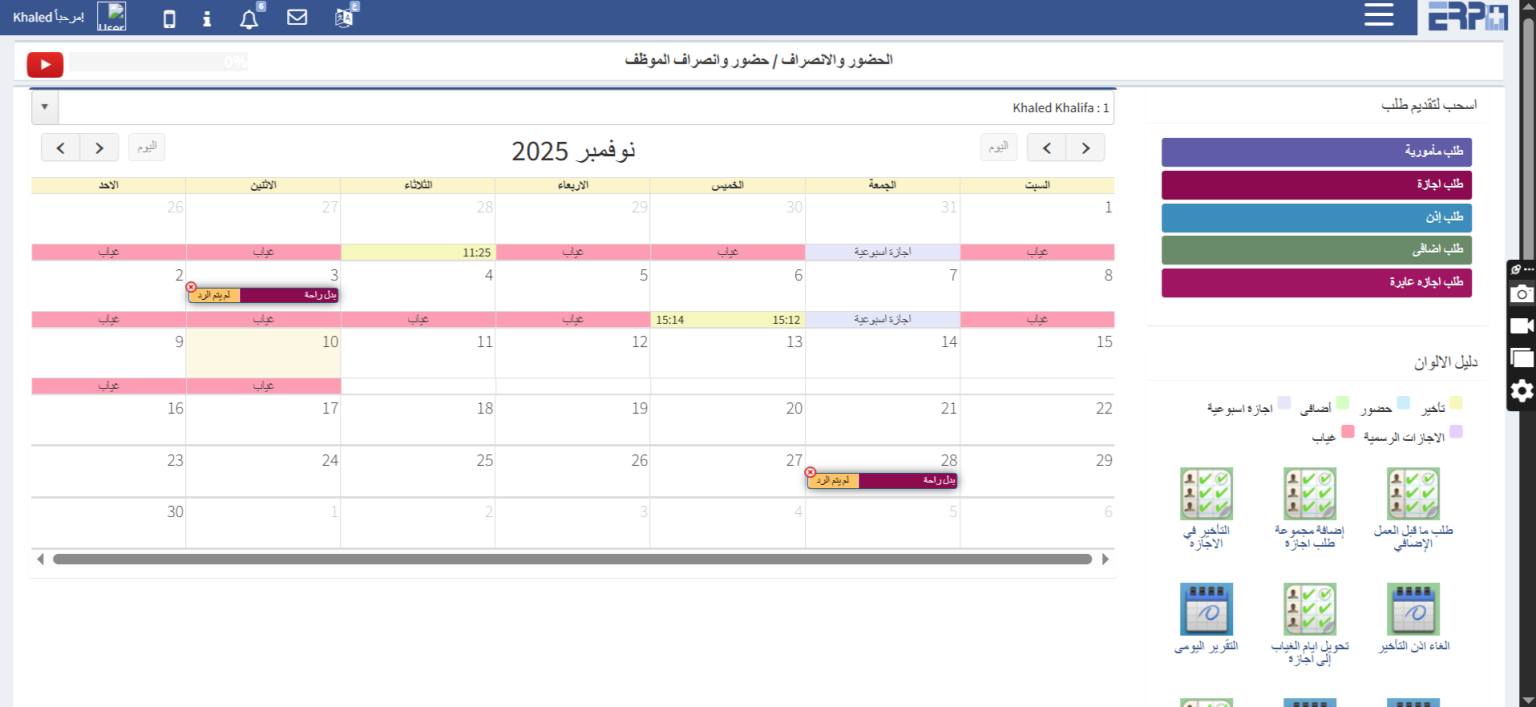
How can employees' absence, attendance, and fingerprint days be reviewed?
Through the attendance and departure module, then filling in the attendance and departure module, a calendar appears with the days of the employee’s attendance... Read more
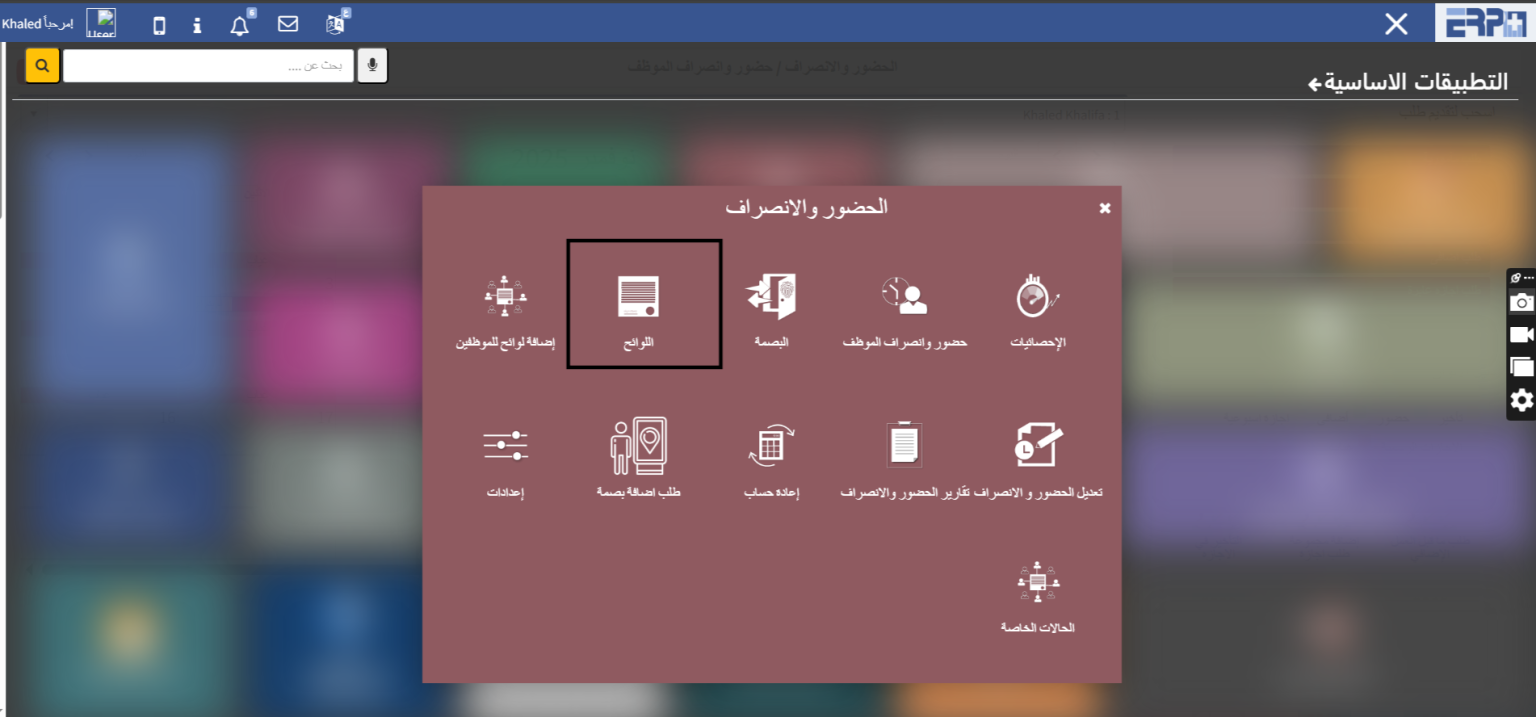
How can attendance and departure lists be made, and is there a possibility to make more than one list?
Regulations for attendance, departure, delays, and additional ones The regulations are created through the attendance and departure module, then the regulations... Read more

How can vacation lists, types and preparation be made?
The leave settings are added through the attendance and departure module, then the regulations, then we click on the leave tab
How can employees' absence, attendance, and fingerprint days be reviewed?
Through the employee attendance screen
How can employee requests (leave, errand, additional overtime request) be submitted?
Through the employee attendance screen
How can an employee review his requests, follow up on their status, or delete them?
By viewing my requests
How can managers follow up on requests from subordinate employees and accept or reject them?
By viewing follower requests
Is it possible to review statistics on attendance and departure?
Through the statistics screen
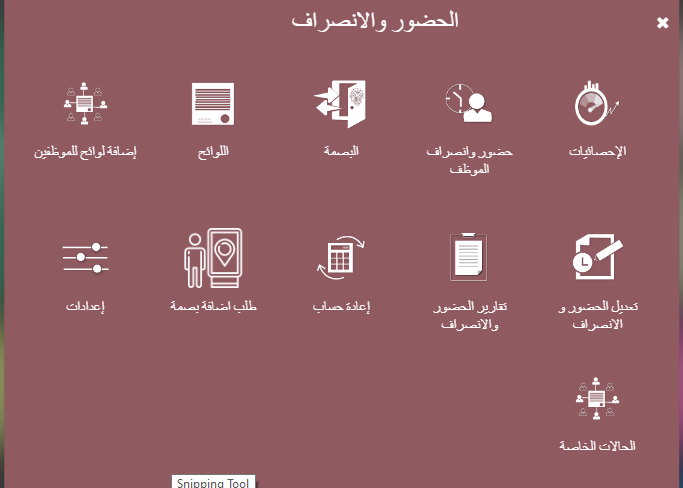
How can attendance and departure lists be made, and is there a possibility to make more than one list?
Through the regulations screen
How can vacation lists, types and preparation be made?
Through regulations and permits
How can exceptions be made for managers from attendance, dismissal, and tardiness regulations?
Through the Regulations and Exceptions screen
How can variable attendance and departure regulations be made?
By casting the regulations module, make the sign and then choose that it is magnetic. In this case, it is possible to make more than one sign and apply it to th... Read more
How are employees accommodated according to the different regulations?
From the attendance and departure module, go to the module for adding lists for employees, choosing the type of list and assigning it to the employee
Is it possible to change attendance effects and cancel delays?
From the attendance and departure module, enter the template for modifying attendance and departure, choosing the period, and canceling delays or additional one... Read more
How are attendance and departure reports made?
Enter the attendance and departure module, enter the reporting module, choose the period, and display the report
Is there a possibility to recalculate attendance, departure, and leave balances?
Enter the attendance and departure module and enter the sub-module for recalculation and choose the period and employee
Is there a possibility to work variable shifts?
The list is made at the beginning and by filling in the model for special cases, choosing the employee and applying the list to him, then choosing the period or... Read more
Is there a possibility to add and link more than one branch of the company?
Enter the attendance and departure module and the settings module and set more than one location for the company
Is there a possibility to connect the fingerprint machine to the system?
It is possible to connect through the attendance and departure module
Is there a possibility to give employees permission to fingerprint outside the company headquarters?
Enter the attendance and departure module, from the settings module, and from the free fingerprint box, select the employee
Is there a mobile application for system users?
It is possible to add requests for employees, and managers can accept and reject the request through it, and the salary can be displayed through it, and a finge... Read more
How can I review statistics on attendance and departure?
From the attendance and departure module and from the statistics module, choose the period and it will display the statistics
How to use Google Maps code to activate Google Key maps
Through the attendance and departure settings
How to fingerprint outside the company?
Enter the attendance and departure module, from the settings module, and from the free fingerprint box, select the employee
How can I make a job offer and send it to the employee?
Through the personnel affairs module, enter the recruitment module, and through the job offer field, you can fill out its information
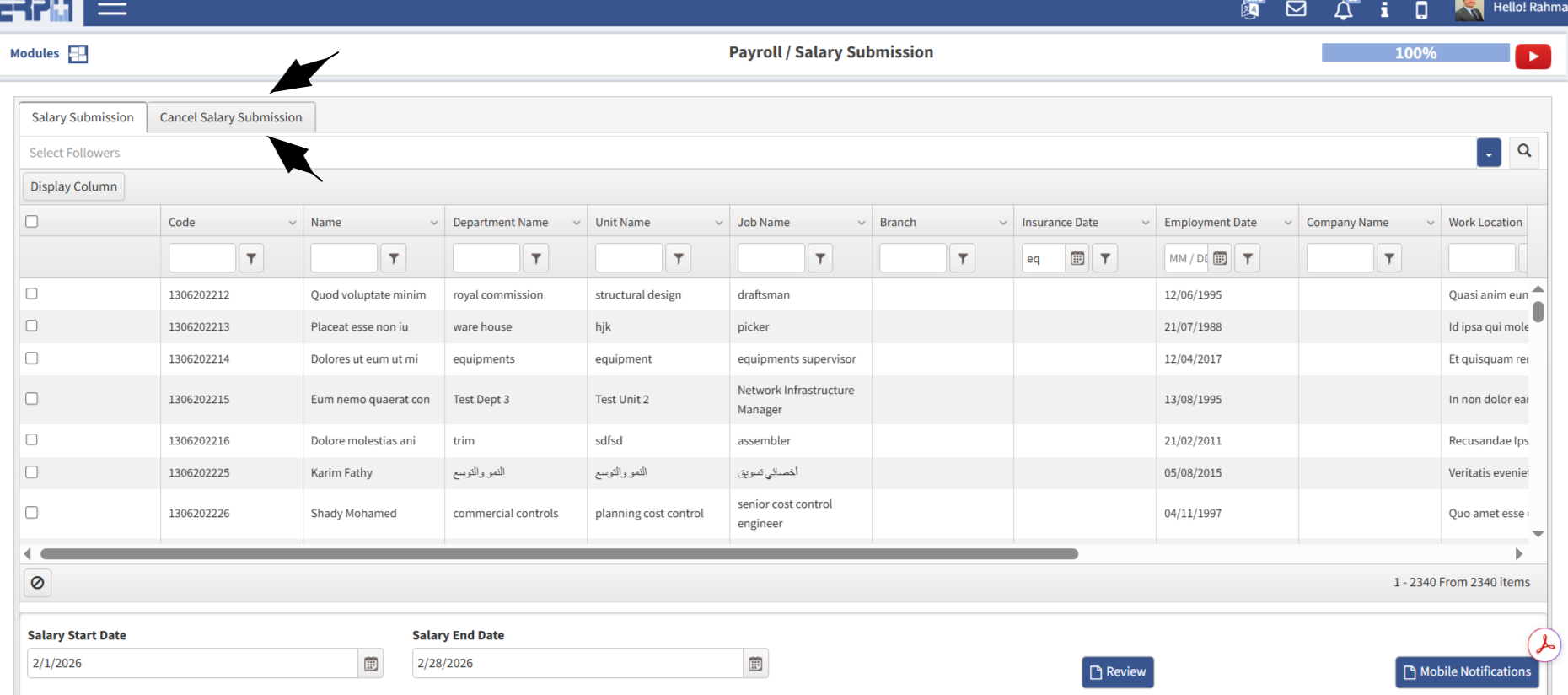
How to carry over and balance vacations
Enter the attendance and departure module, then enter the module for the regulations, then choose leaves, then the balance and transfer box, then choose the typ... Read more
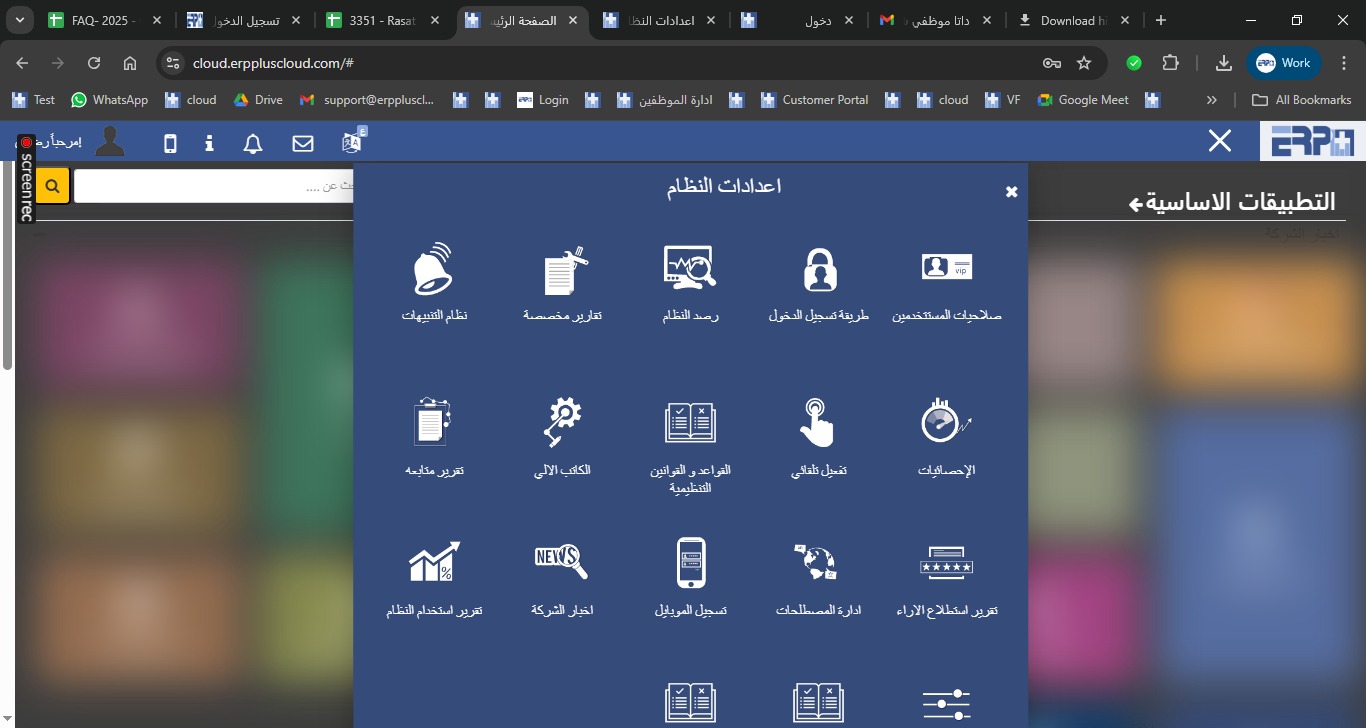
How to add permission to modify vacations
Enter the system settings module, then enter the user permissions module and choose the permission to report vacations and opening balances
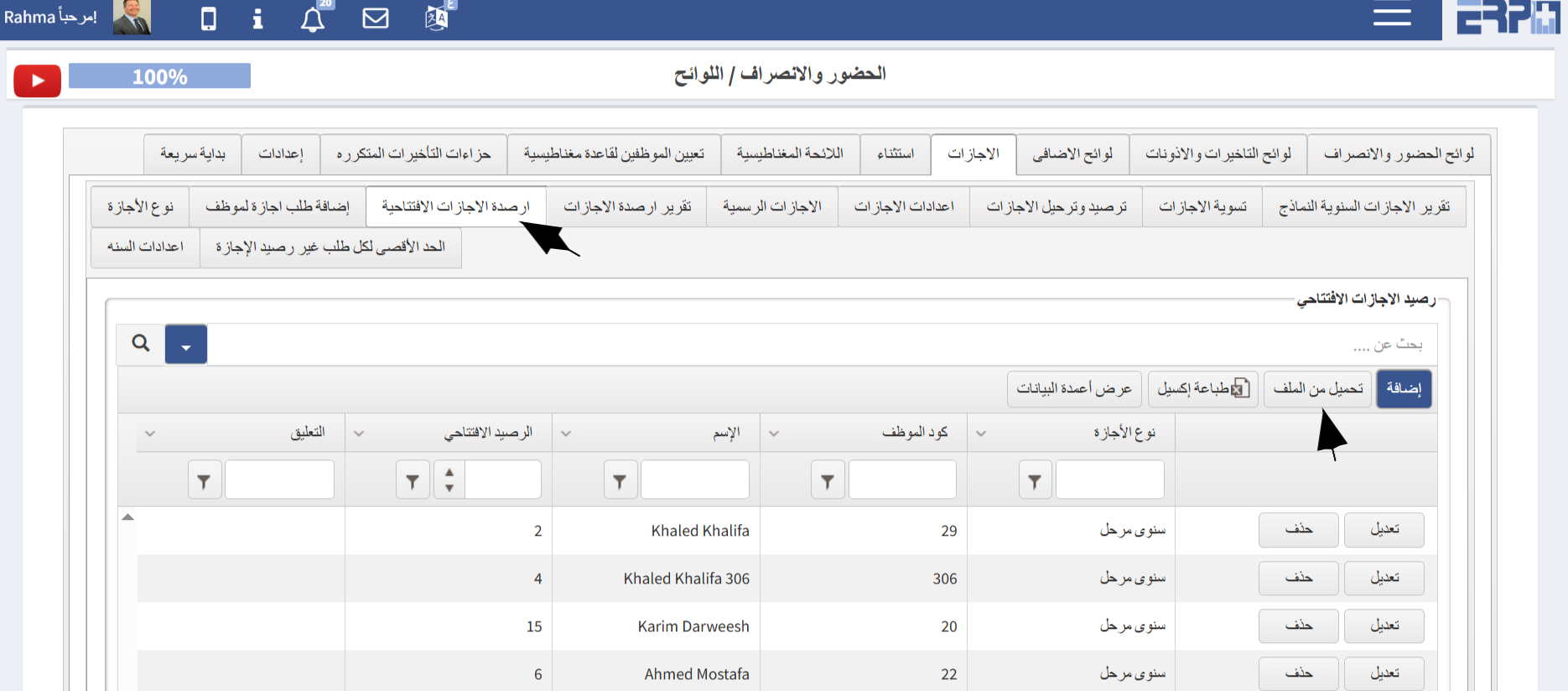
How to add opening vacation balances for employees?
From the Attendance ModuleGo to the SubModule “Regulations” Select Vacation Choose Opening Vacation BalanceUpload from Sheet Complete the required details Down... Read more
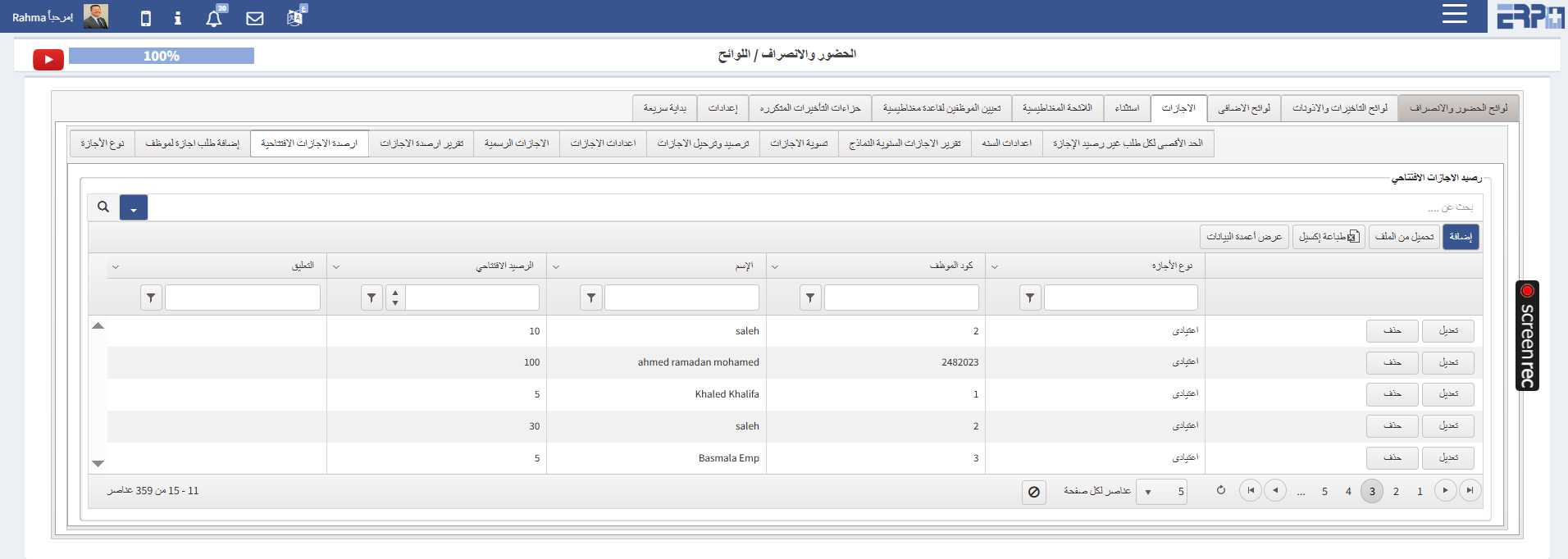
What are the procedures for calculating sick leave days according to labor law?
From the Attendance Module:Go to the SubModule “Regulations”On “Vacations” Select “Vacation Type ”Select AddEnter the Regulation Name Select Paid “NO” On Unpa... Read more
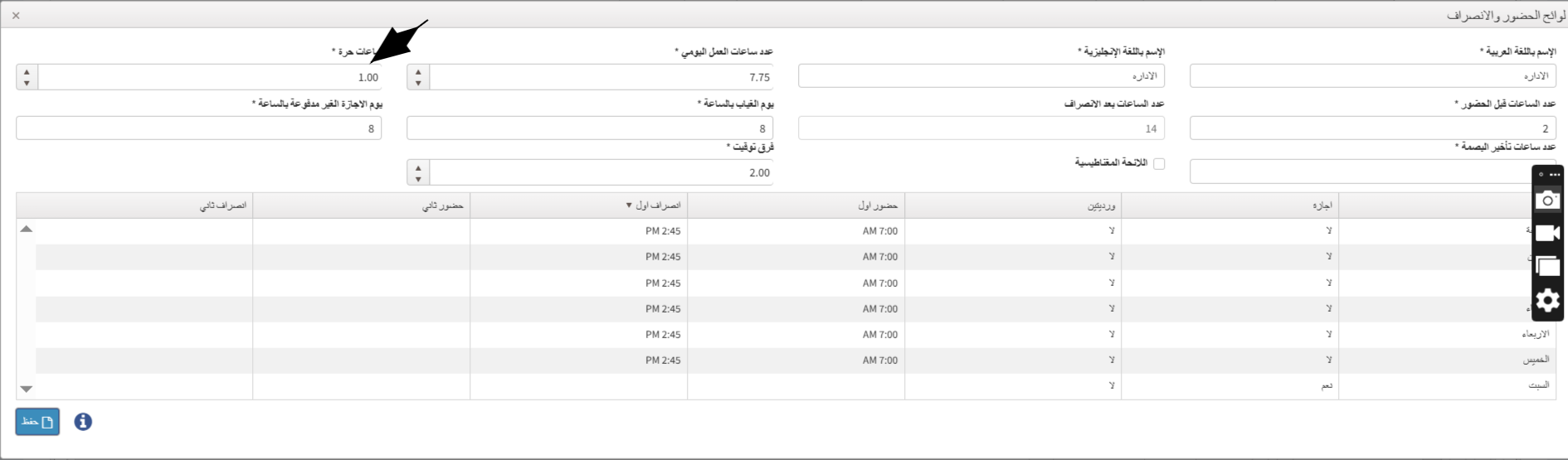
What is the process for setting up variable Regulations for an employee?
From the "Attendance" module : Navigate to the Sub Module "Regulations" On the Attendendce rule Select Add On "Flexible Hours" field specify the number of hou... Read more
Need more help?
Our support team is always ready to assist you.