Attendance
KB-172
21 Jan 2026
How to add opening vacation balances for employees?
From the Attendance Module
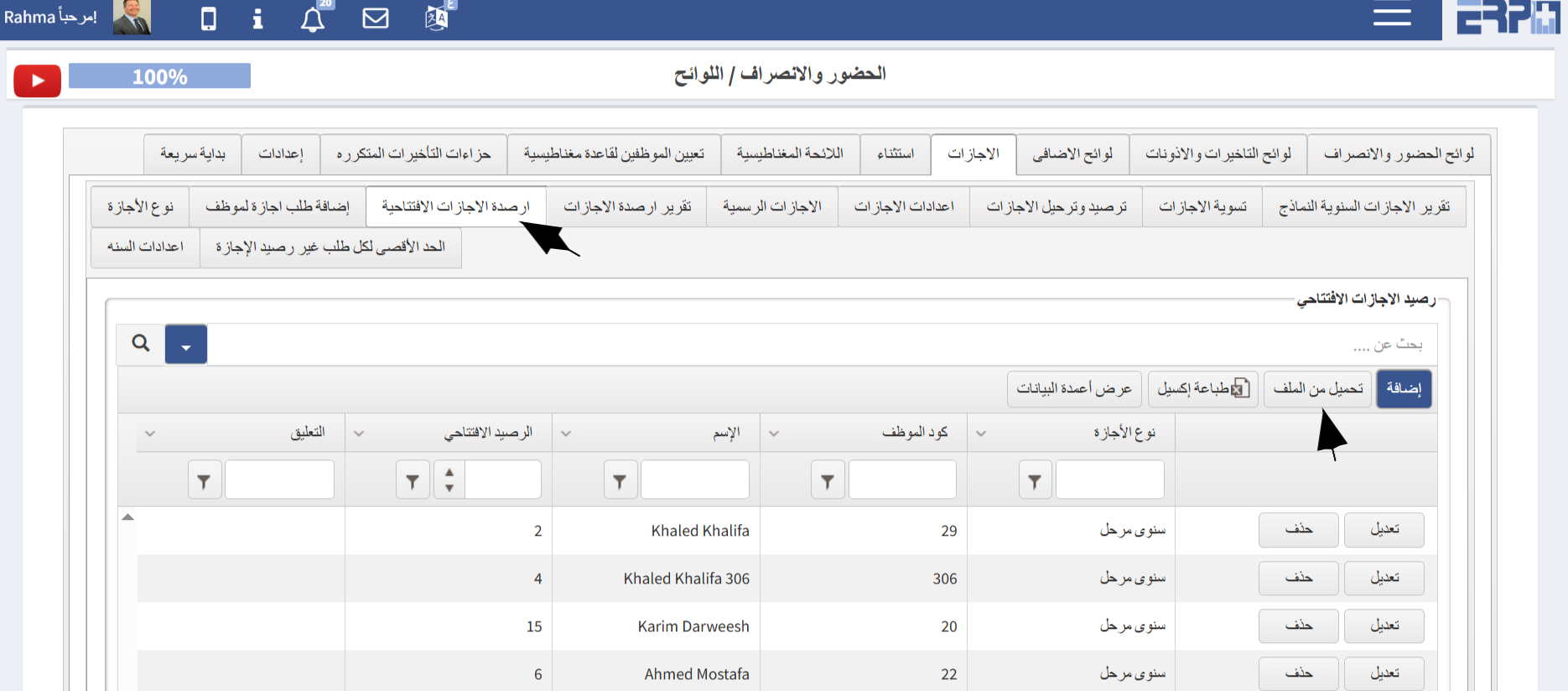
- Go to the SubModule “Regulations”
- Select Vacation
- Choose Opening Vacation Balance
- Upload from Sheet
- Complete the required details
- DownloadTemplate
- Select File
- Select Submit
🖼 Visual Guide
🎥 Video Tutorial
#Opening credits for holidays
Was this article helpful?
Send us your feedback or questions about this article.