Latest FAQ
185 results found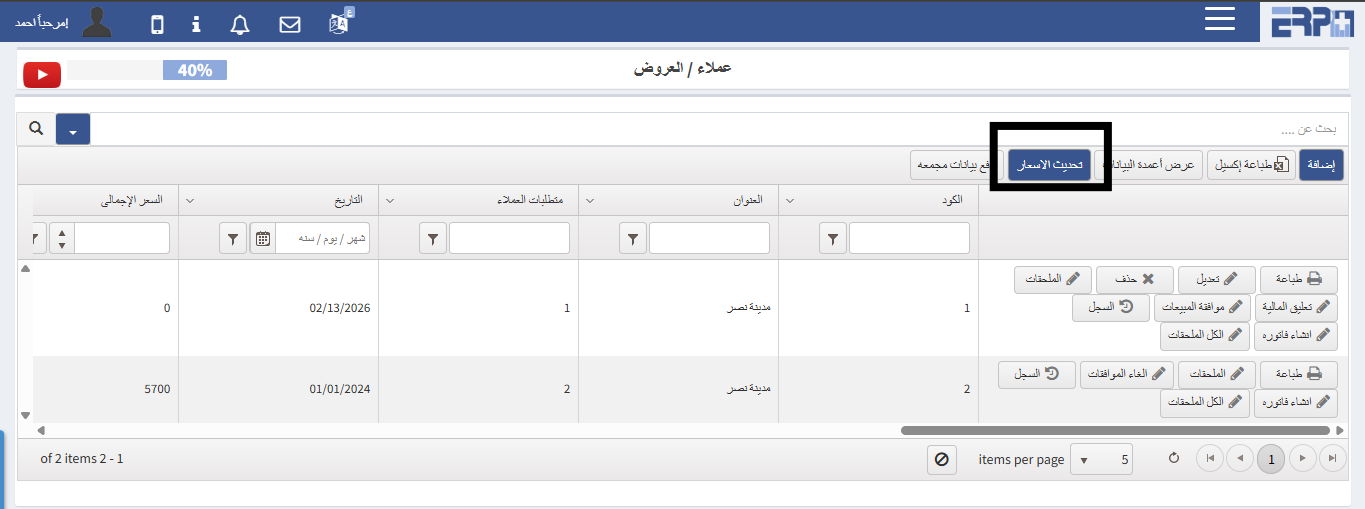
How to update prices when prices increase or decrease?
From the customer management module during registration, the offers module, there is a box for updating prices
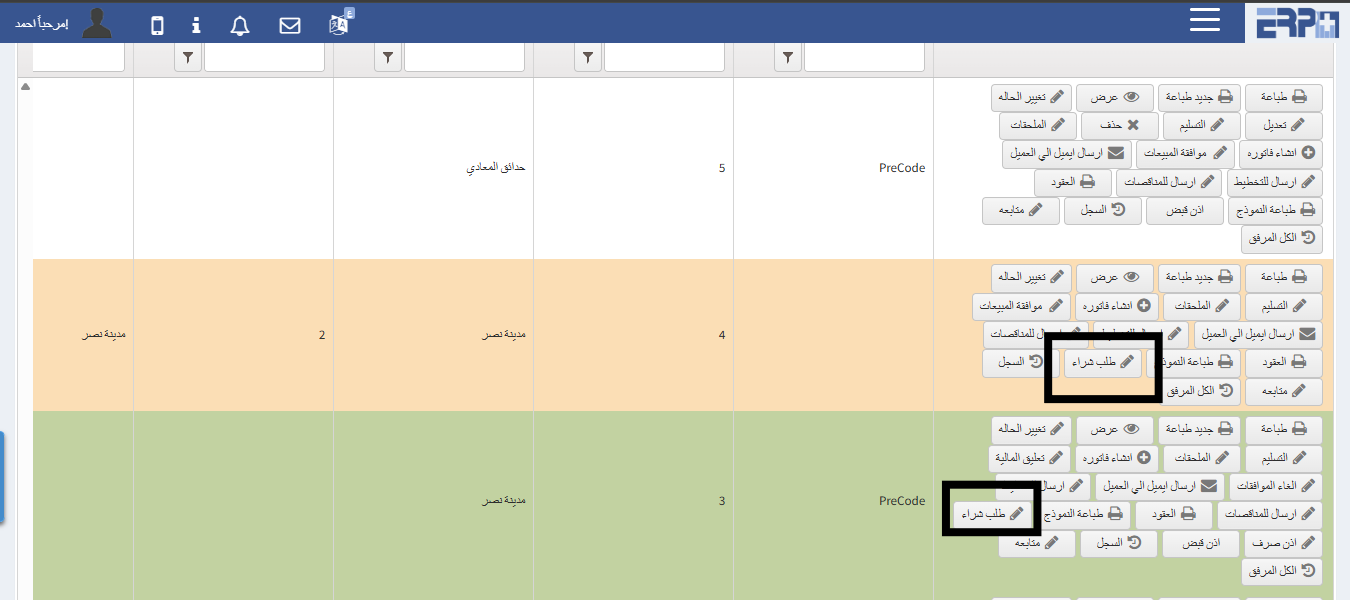
How to make a purchase order for a sale order?
From the customer management module, fill in the sales order module. A sales order is created, and after saving, you can press the purchase order button
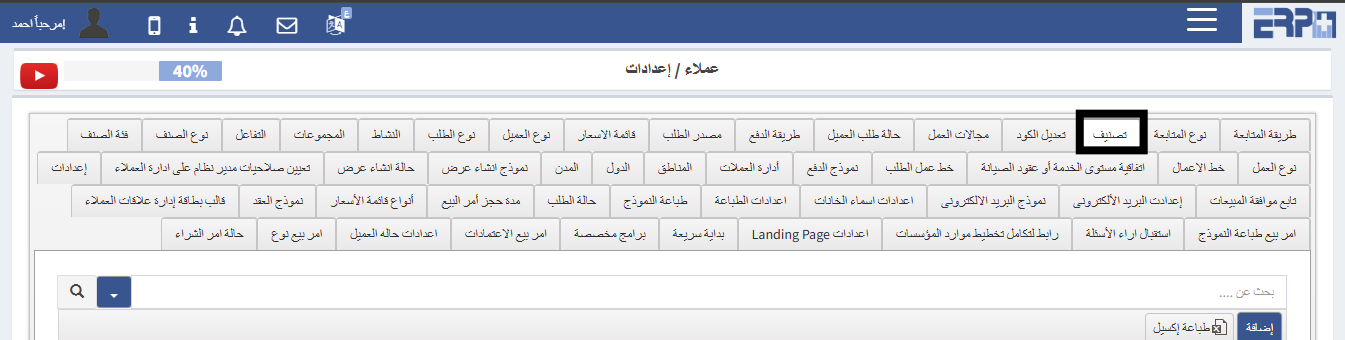
How to add customer classifications?
From the Customer Management module, in the Settings module, we select the classification, then click on Add to record customer classifications
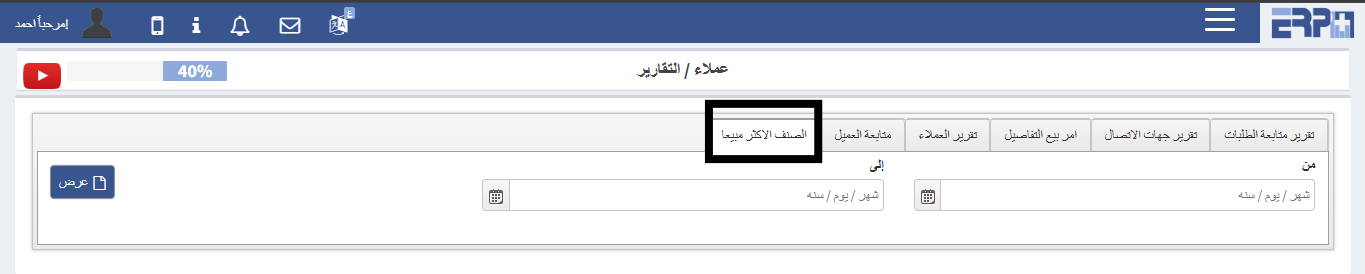
How to extract the best-selling items report?
From the customer management module, click on the reports module, we click on the best-selling item report, the date is selected, and all the data appears
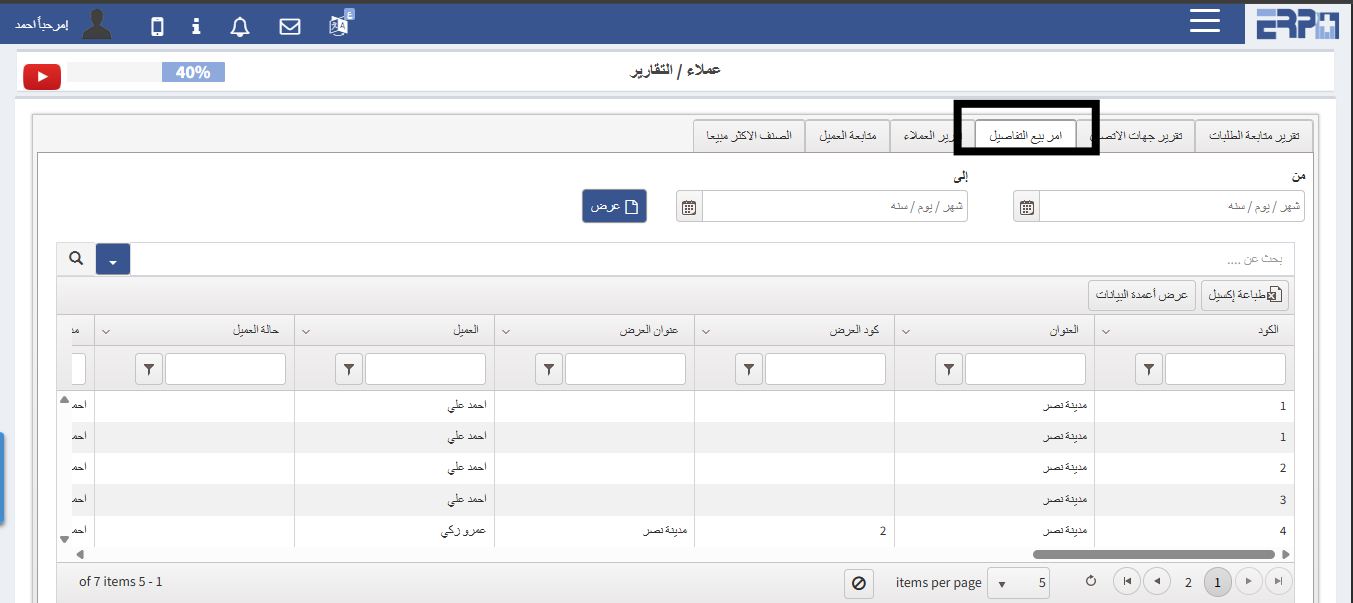
How to extract a sale order report with details?
From the Customer Management module, click on the Reports module, we click on the sales order report with details, the date is selected and all data is shown
Need more help?
Our support team is always ready to assist you.