Latest FAQ
185 results found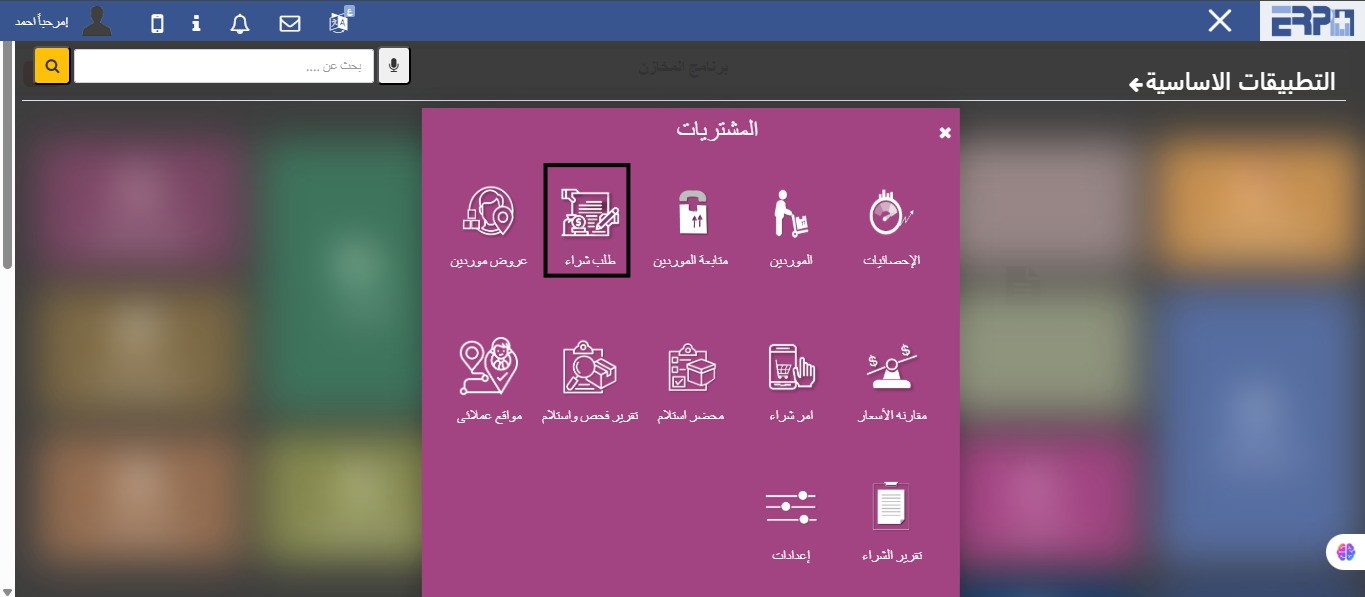
How is the connection between the purchase order and the price offer and thus the purchase order?
From the Purchases module, then fill in the Purchase Order module and click on the Add button and convert it to display a supplier, then create a purchase order... Read more
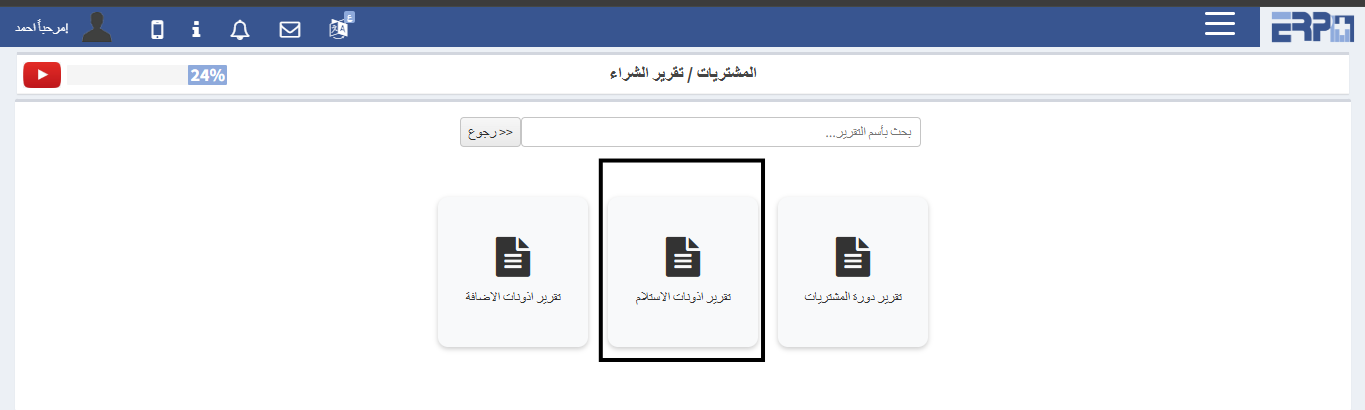
How to extract a report of purchase orders and quantities already received?
From the Purchases module, then fill in the Purchase Reports module and click on the Receipt Permissions Report
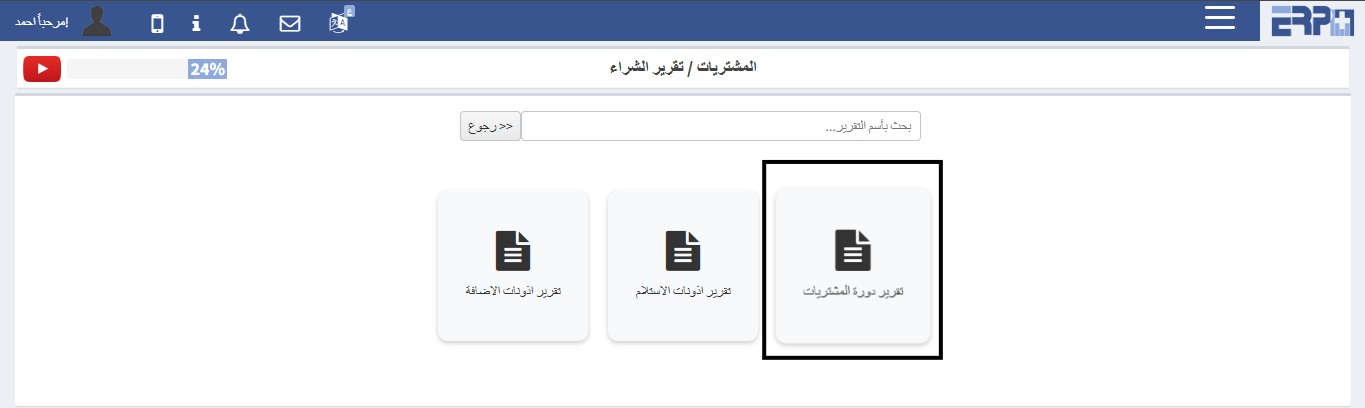
How to extract a report on purchase orders and their status?
From the Purchases module, then click on the Purchase Reports module, click on the Purchases Cycle Report
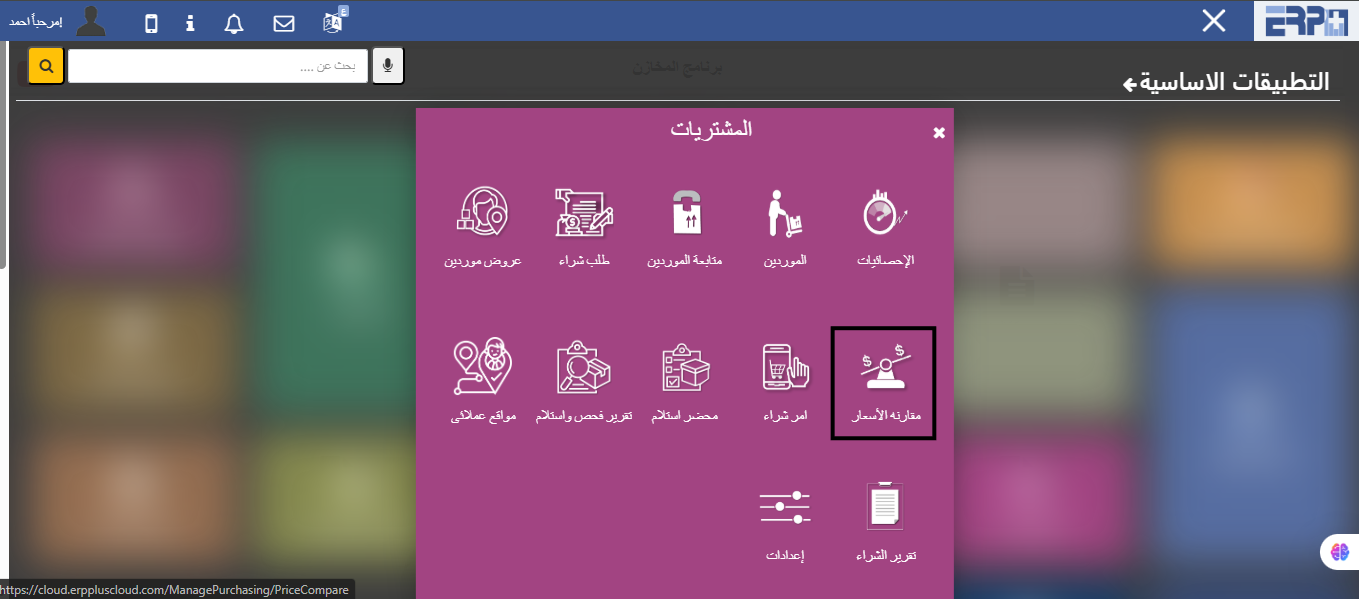
How to extract a report with price offers and compare them?
From the purchasing module, then fill in the price comparison module, and the period is determined, then a comparison is made between the orders in the specifie... Read more

How to register a receipt from a purchase order?
From the warehouses module, then fill in the operations module, a receipt order is selected, then we click on Add and choose the purchase order

Is more than one receipt authorization registered on the same purchase order?
Yes, in the event that the full quantity is not received from the warehouse module, then the operations module is filled in, a receipt permit is selected, then... Read more
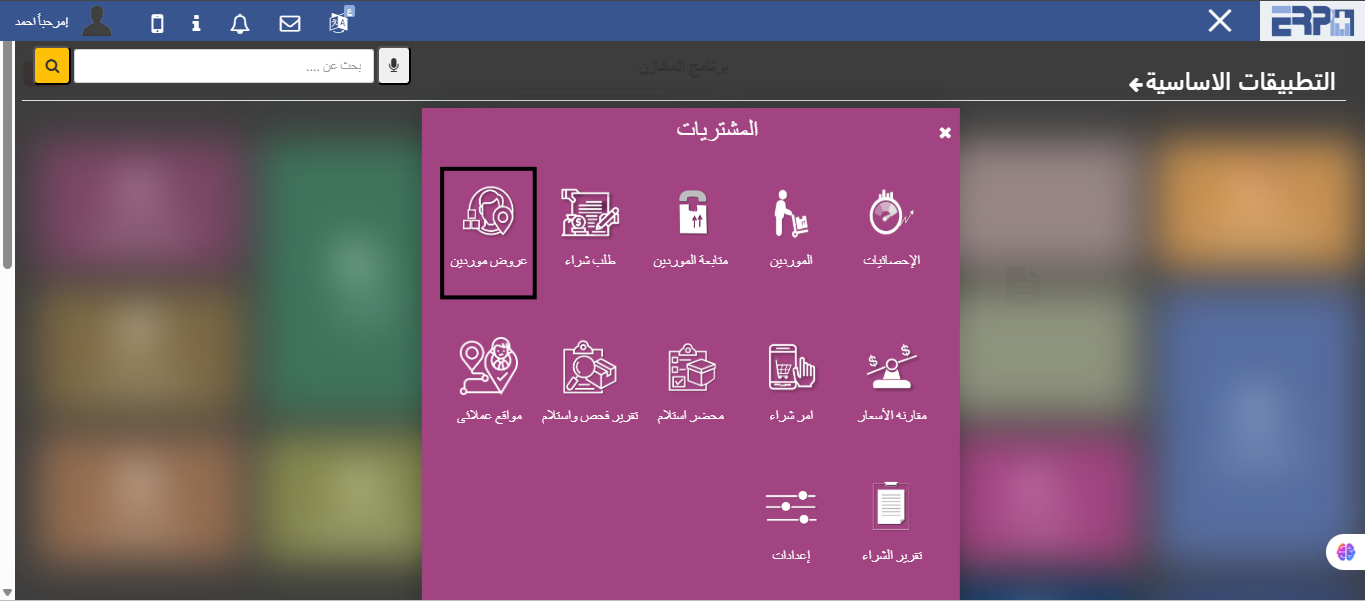
How are suppliers' prices compared for the same purchase order?
By selecting more than one supplier for the same purchase order in the suppliers’ offers screen
How to add projects individually?
Through the project management module, the Sub module for projects, additions are made, data is filled in, then saved. There is a combined method by downloading... Read more
How to add stages to the project in a group manner?
Through the project management module, the Sub module for projects, the phases tab is tested, the system sheet is downloaded, and it is uploaded again
How to add tasks to the project?
Through the project management module, the Sub module for projects, the field for adding tasks is tested, which can be placed individually or uploaded through a... Read more
Is there a possibility to upload collected data to the project?
Through the project management module, the Sub module for projects, the section for uploading collected data is tested, downloading the sheet, filling it out, a... Read more
How can I follow up on the project?
Through the project management module, the Sub module for projects, after setting the project, there is a follow-up button to add follow-up to the project
How does a task assignment work on a project?
Through the project management sub module for tasks and schedule, a task assignment slot is selected and an addition is made
How to modify project data?
From the projects program in the project management module, when adding a project, there is an option to modify it
How to add projects in bulk?
From the projects program in the project management module, when adding a project, there is an option to upload the file
How to add a stage to the project individually
From the projects program in the project management model, choose the stage and add the necessary data
How to extract a cost report for entire projects
From the project costs report within the project management module’s reporting program
How do I extract a report for each project and its cost?
From the project balance report, the reporting program within the project management module
How to extract a report on the number of employee hours for each custom project
How to extract the employee hours report for each custom project
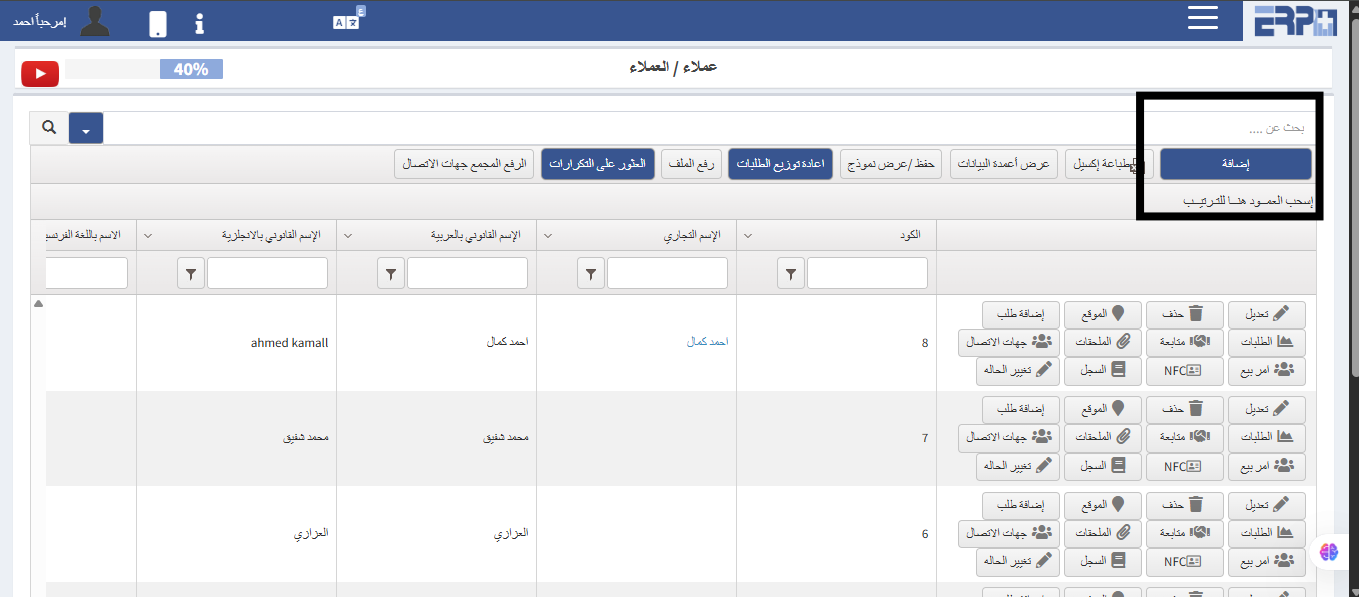
How to add customers to the system?
From the customer management module, click on the customer module and click on the add button
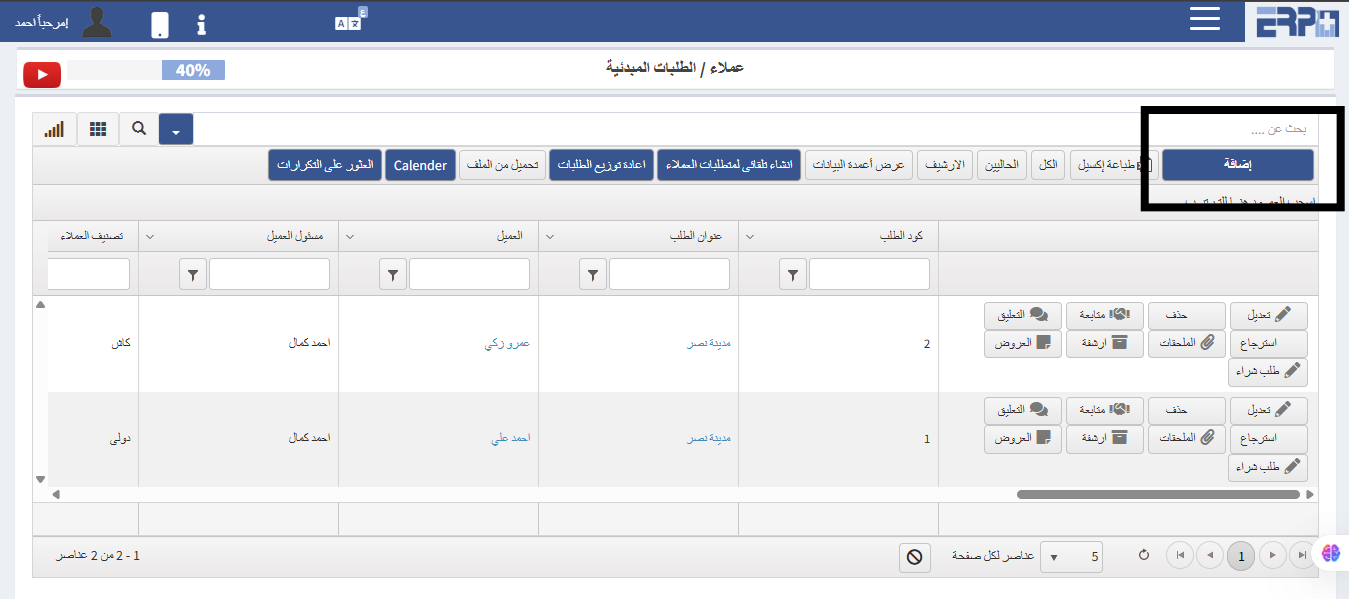
How to make initial orders for a customer?
From the customer management module, the module for initial orders is created.
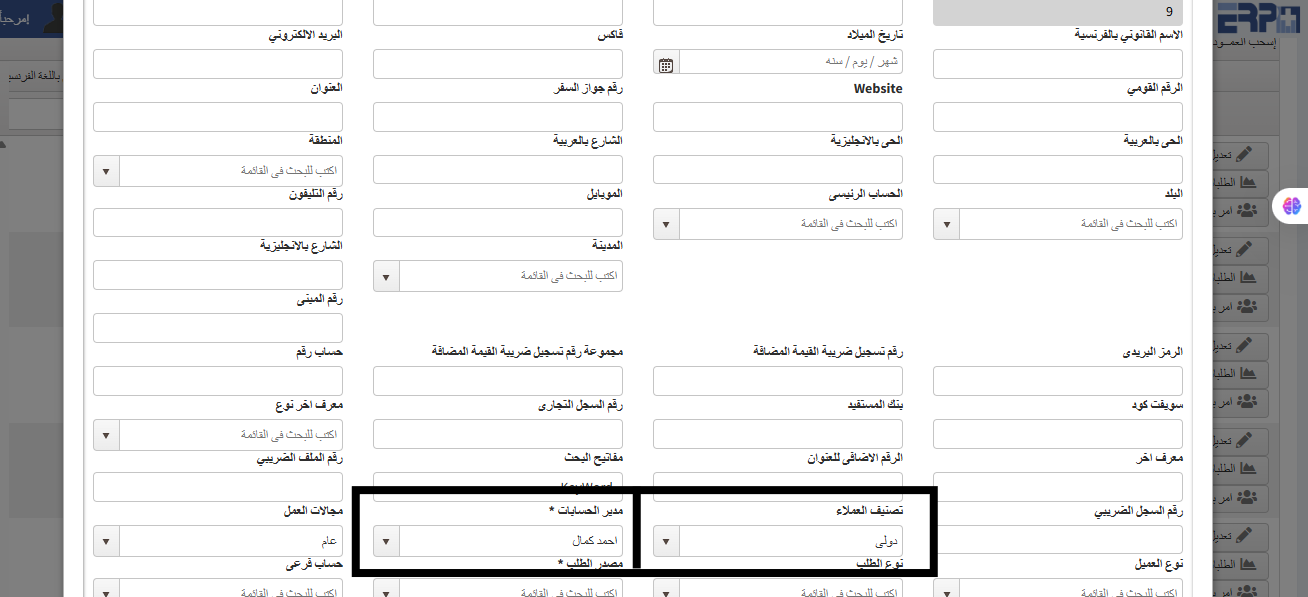
How to show all customers to anyone other than their account manager?
From the customer management module, create a customer module when adding a customer. This is done by not linking them to a specific account manager or specific... Read more
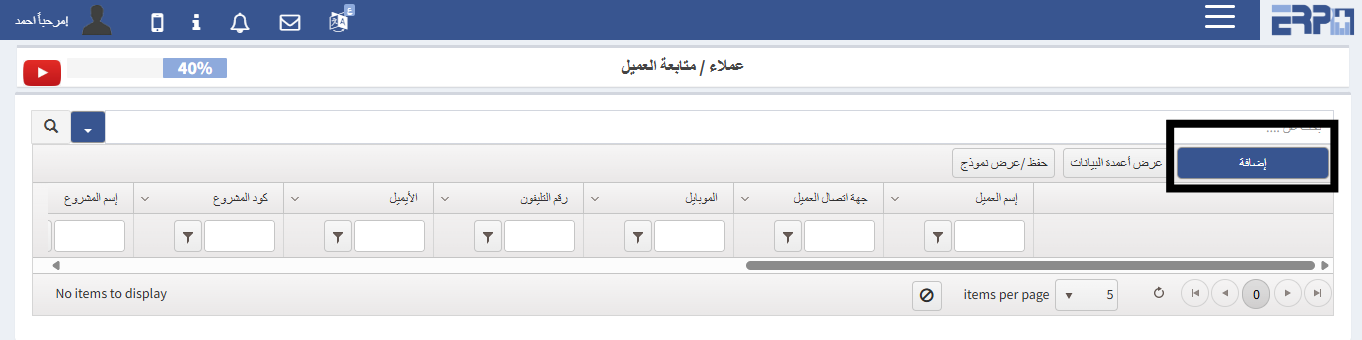
How to follow up on the client?
From the customer management module, through the customer follow-up module, a follow-up is done
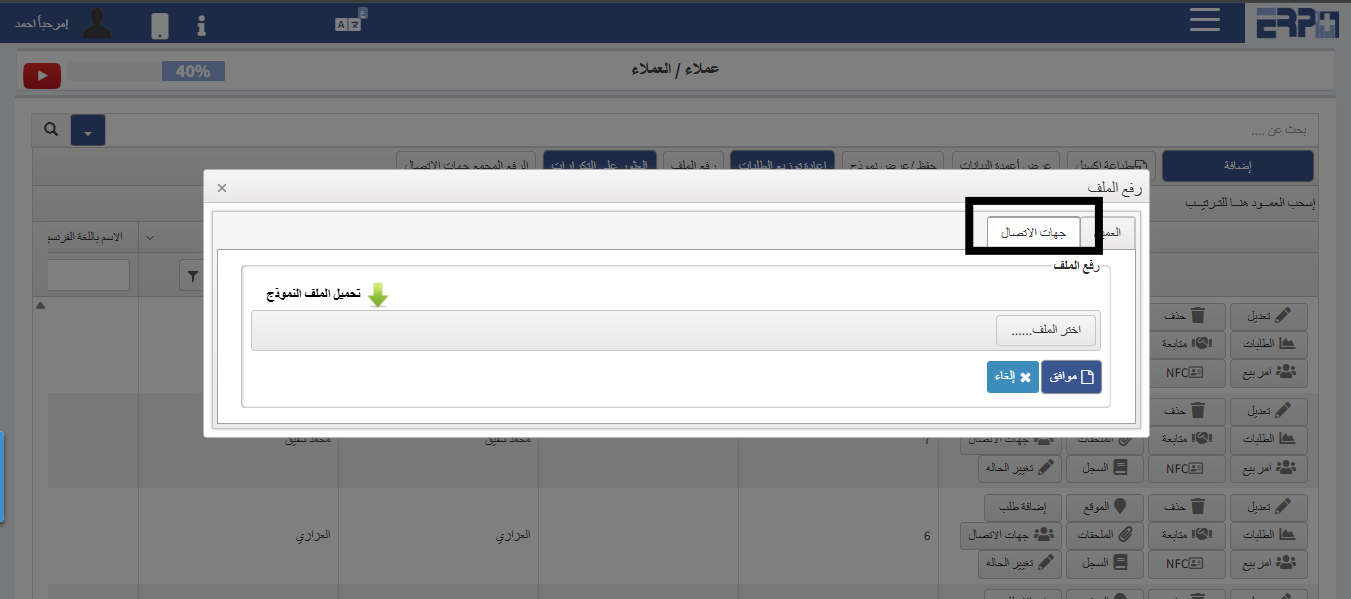
How to upload customer contacts in bulk?
From the customer management module, download the client's module, and by uploading the file, the file is downloaded, then filled and uploaded again
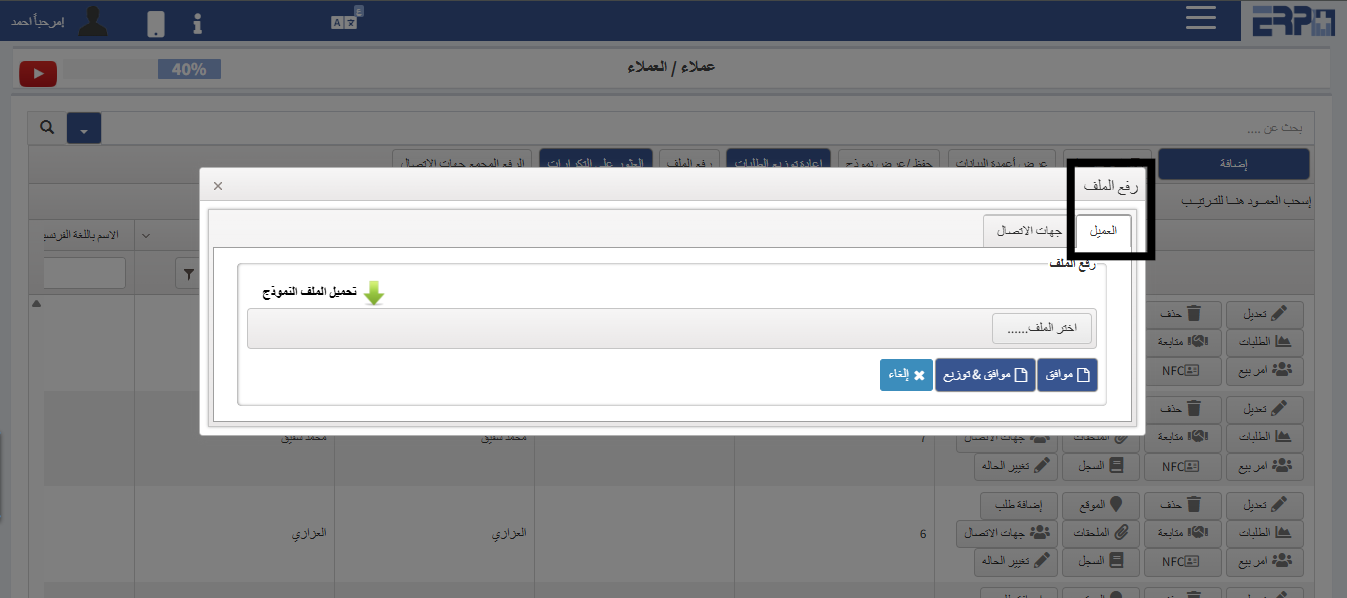
How to raise clients in bulk?
From the customer management module, download the client's module, and by uploading the file, the file is downloaded and then recorded and uploaded again
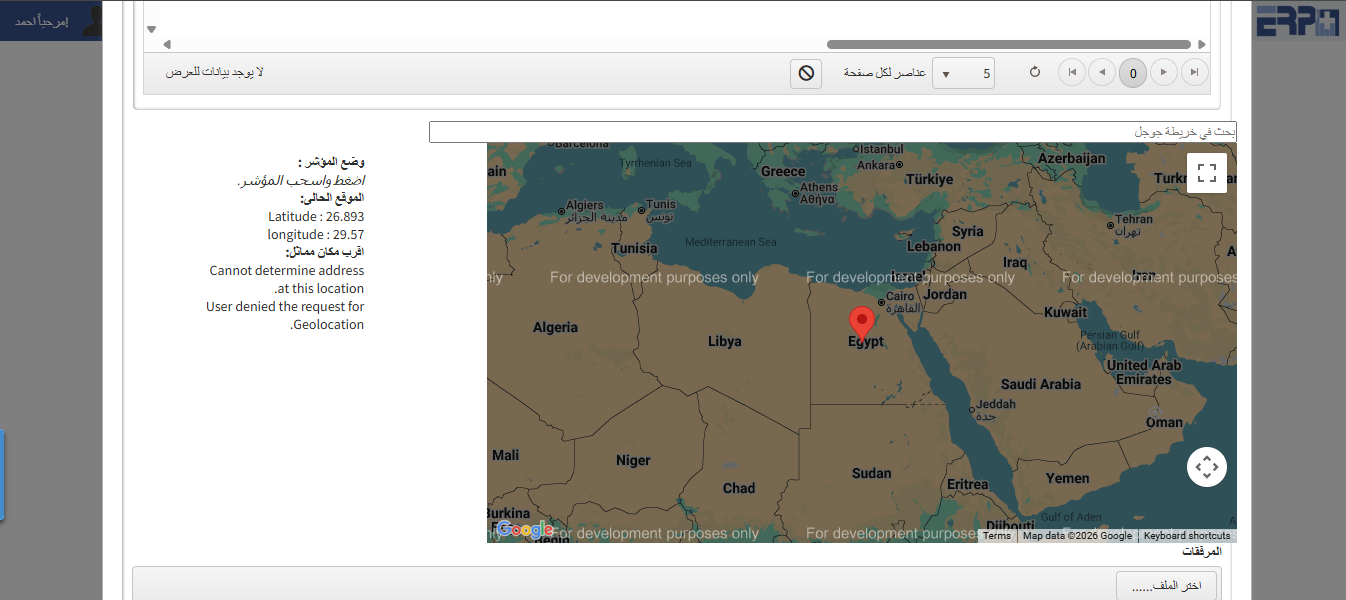
How to add customer sites?
From the customer management module, Subscribe to the Clients module. When you add the client, the site is added, and you can view all the clients’ websites thr... Read more
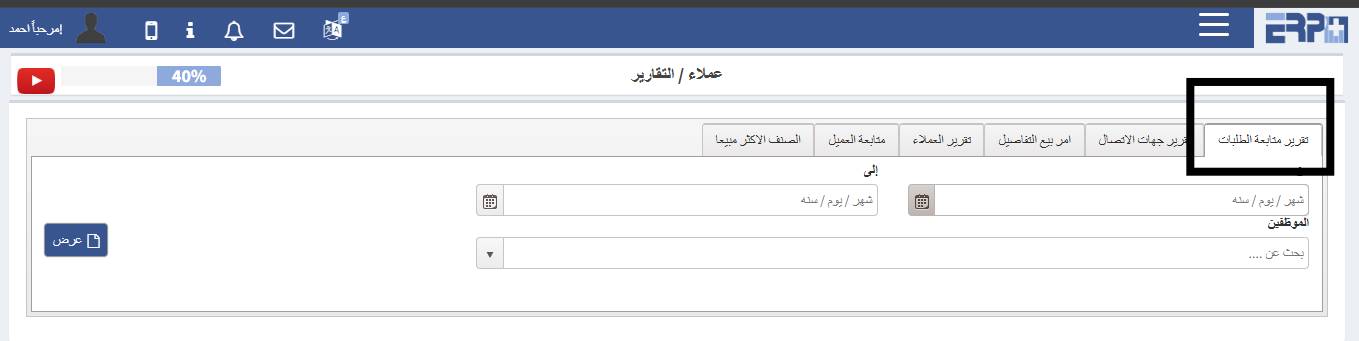
How to withdraw a report on tracking requests?
From the customer management module, enter the reporting module, select the order follow-up report, then choose the period, and you can choose a specific employ... Read more
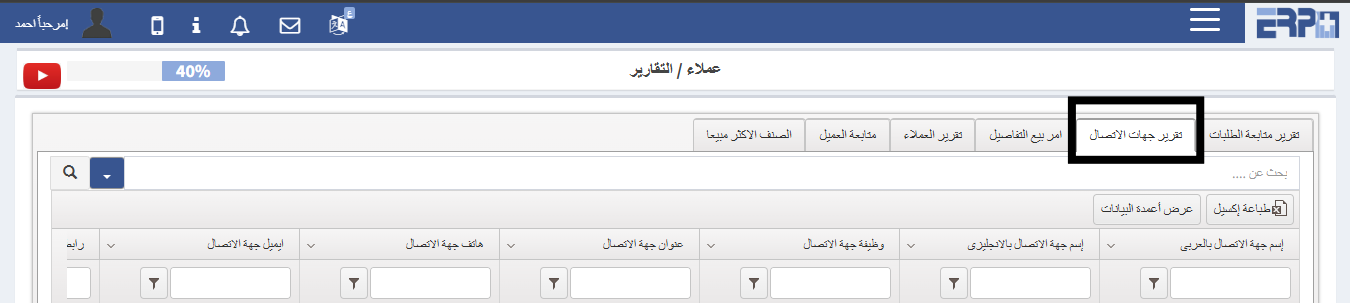
How to withdraw a report for contacts?
From the customer management module, download the reports module, choose the contacts report, and print it
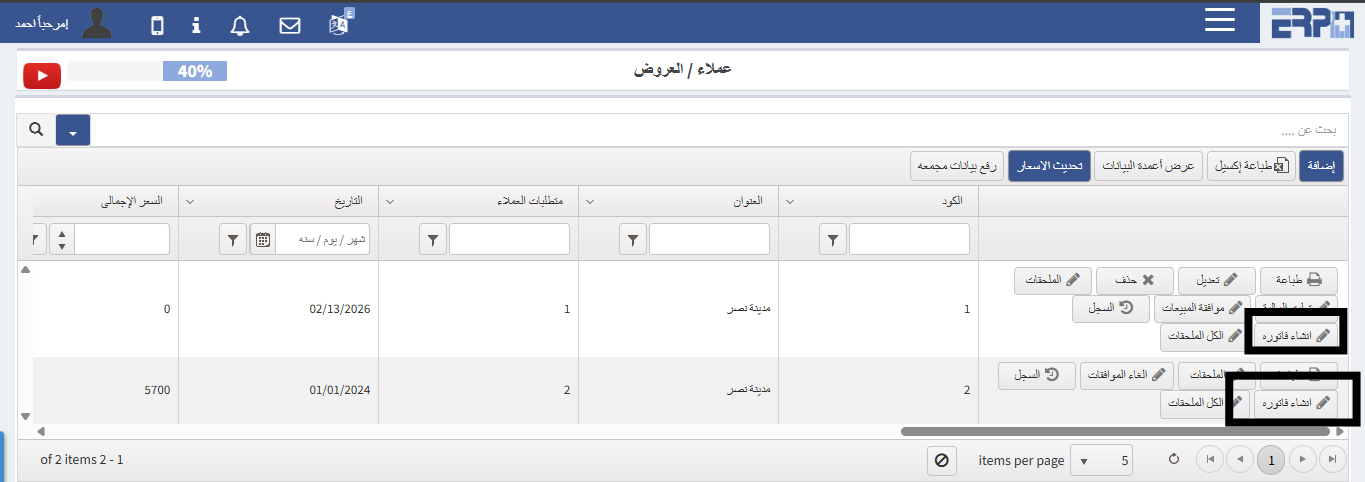
How to create an invoice for the offer?
From the Customer Management module, click on the Offers module, we search for the offer and then click on the Create Invoice button
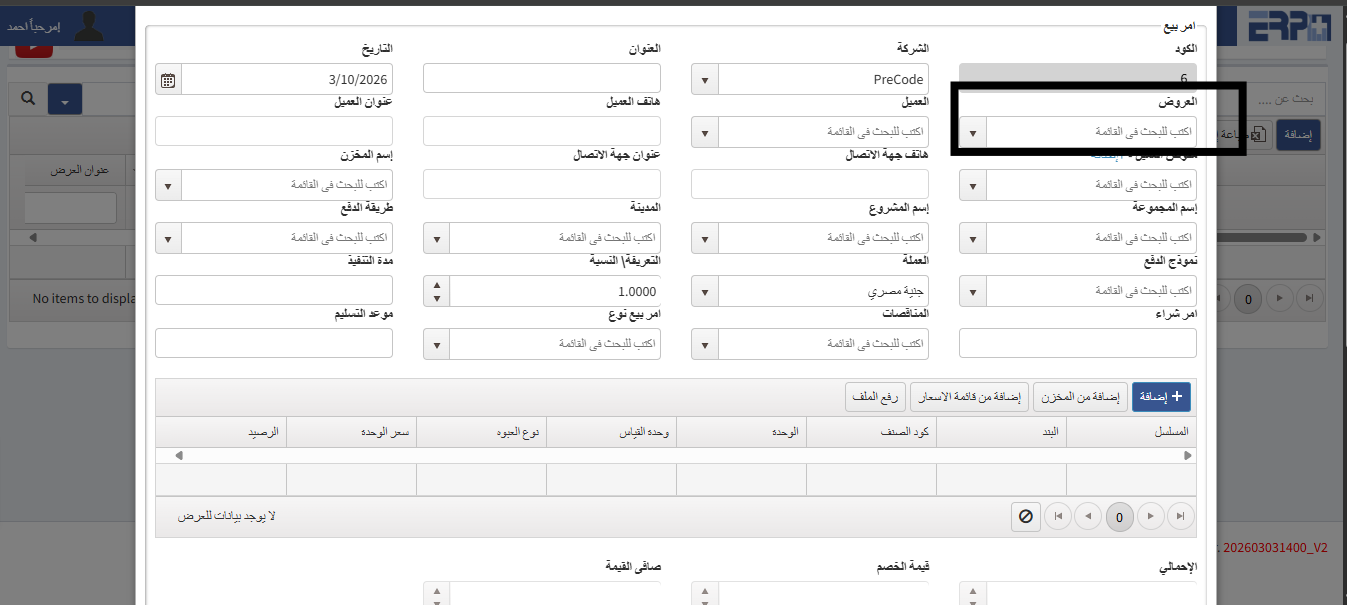
“How to link offers and a sale order?
From the customer management module, fill in the sales order module, click on Add, then the offer is selected and a sales order is created with it
Need more help?
Our support team is always ready to assist you.