Attendance
KB-177
10 Feb 2026
What is the process for bulk removal of an element from specific employees, or for assigning the element for a limited period?
From the Payroll Module :
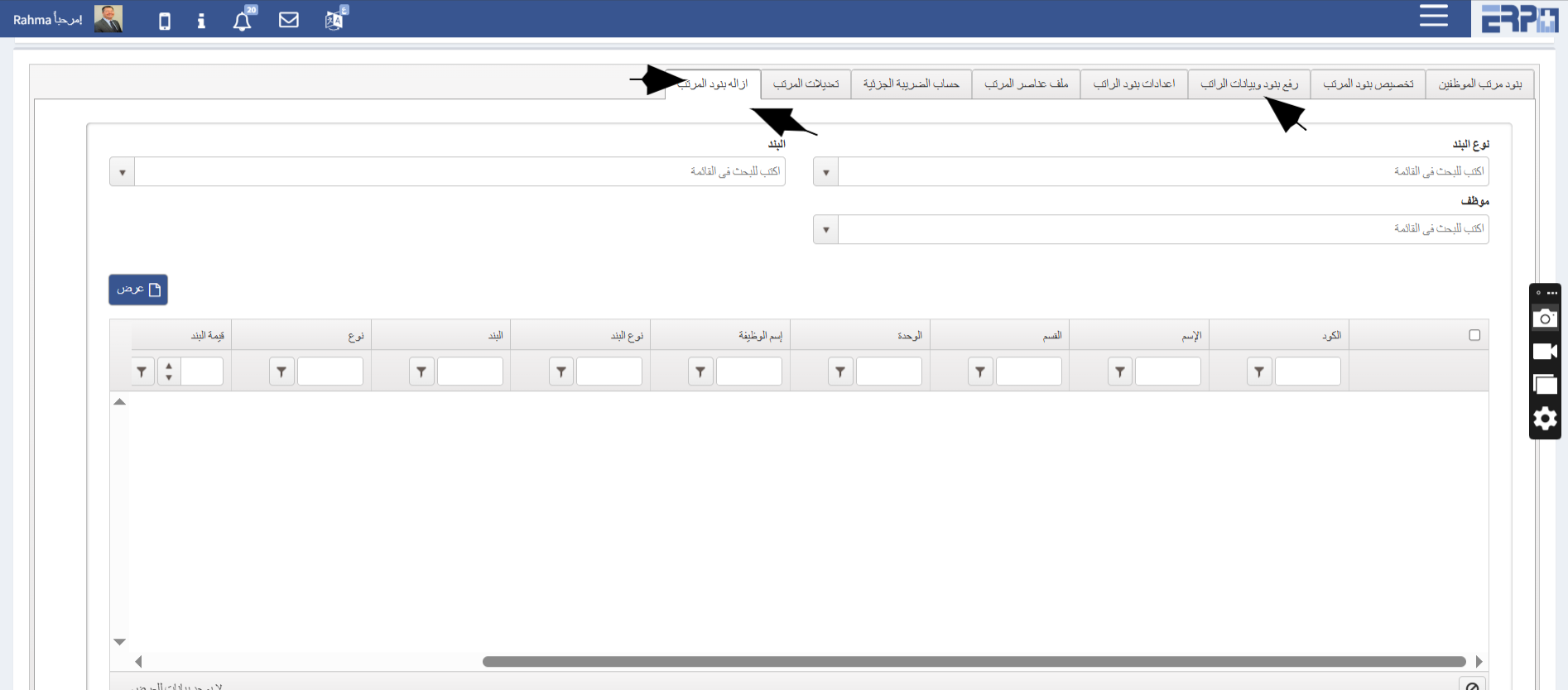
- Navigate to Submodule “Salary initial Data”
- Go to "Unassign Salary Elements"
- Select the element type and the employees
- Click “Save” to complete the process
- OR An element can be assigned for a specific period by:
- Navigate to Submodule “Salary initial Data”
- Go to "Upload Salary Elements and Payroll Data "
- Select “Upload Employees Salary Elements Sheet”
- Select Salary Elemet Type “Earnings”
- Select "Download Template"
- Complete the required fields in the template “start date and end date”
- Reupload the completed template to the system
- Select the relevant “Salary Element Name ”
- Select “submit" to finalize the process
🖼 Visual Guide
🎥 Video Tutorial
#Remove item
Was this article helpful?
Send us your feedback or questions about this article.